Social media image sizes for florists change more often than anyone would like. You upload a profile picture that looks perfect, and a few months later it is stretched, cropped or pixelated. This cheat sheet gives you the current Facebook and Instagram upload dimensions for 2026, so your shop looks professional everywhere people find you.
Why social media image sizes for florists matter
Social media image sizes constantly seem to change. You have the perfect profile picture for your account, and then suddenly, it’s changed and looks pixelated.
Your social media pages must have high-quality images to maintain a professional look of your business online. Getting the dimensions right is the simplest way to protect that.
Tip: Upload at the sizes below rather than letting the app shrink a larger file for you. Save this page and check it before you post.
Facebook image sizes
You want to present your business professionally, so your Facebook profile picture should be your logo. Don’t forget to set up a good cover photo, too — use one of your product photos that represent your company.
| Image type |
Upload size |
| Profile picture |
320 x 320 px |
| Cover photo |
851 x 315 px |
| Shared image |
1200 x 630 px |
Source: Facebook Help Center, Page profile picture and cover photo dimensions
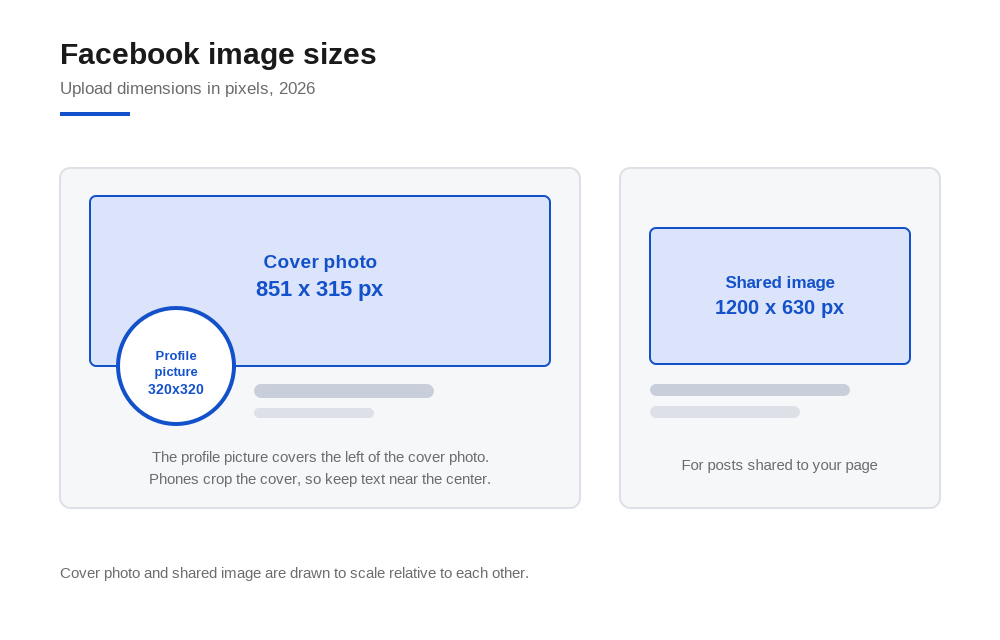
Facebook upload dimensions, 2026
Two things to watch on the cover photo. Your profile picture sits over the left side of it, and phones crop the image differently than a desktop screen does. Keep your shop name, logo and the best part of the arrangement near the center so nothing important gets cut.
Tip: Facebook says a cover photo loads fastest as an sRGB JPG under 100 KB.
Instagram image sizes
Your profile photo should be associated with your business — as in Facebook, use your logo for your profile picture.
| Image type |
Upload size |
| Profile picture |
320 x 320 px |
| Shared post — square |
1080 x 1080 px |
| Shared post — portrait |
1080 x 1350 px |
| Shared post — landscape |
1080 x 566 px |
| Stories |
1080 x 1920 px |
| Video |
1080 x 1920 px |
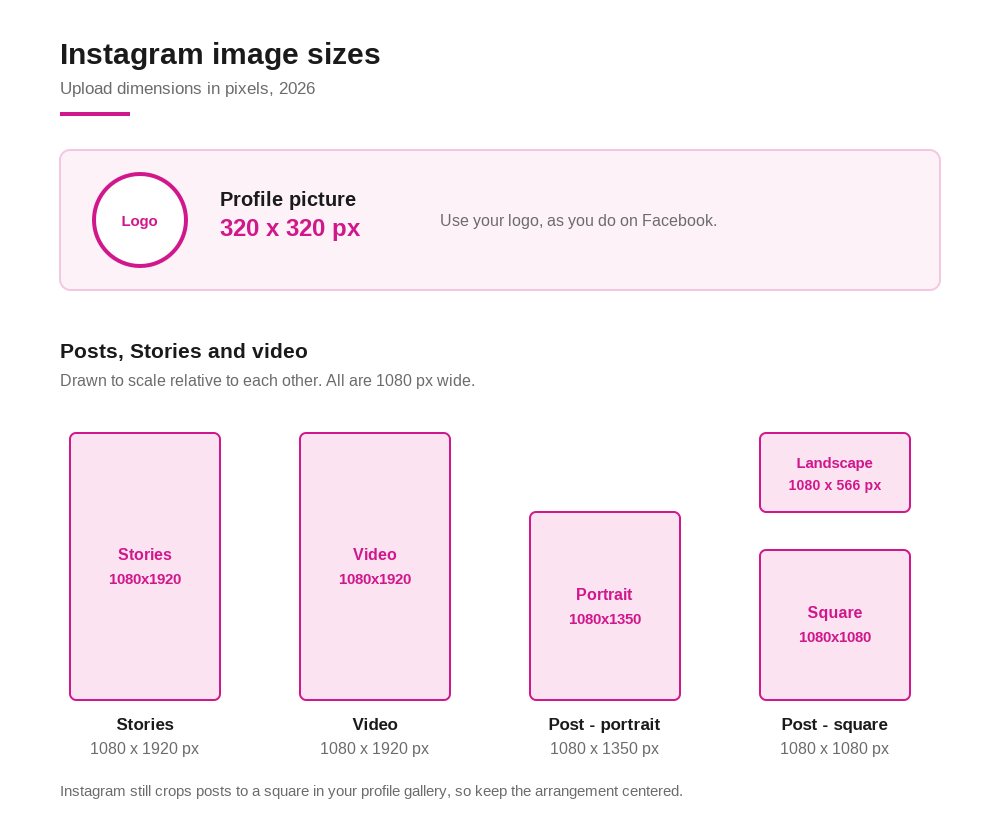
Instagram upload dimensions, 2026
Instagram posts are no longer limited to squares. However, Instagram will still crop your images to a square on your profile page gallery, so keep the important part of the arrangement near the center.
Put the cheat sheet to work
By understanding photo dimensions, you will be able to ensure high-grade images that lead to more captivating photos and increases engagement. Don’t let the image quality be the obstacle to your success.
- Use your logo as the profile picture on both Facebook and Instagram, uploaded at 320 x 320 px.
- Choose a Facebook cover photo from your own product photography, at 851 x 315 px.
- Size Instagram posts to 1080 px wide, whichever shape you pick.
- Keep the subject centered so the gallery crop and the mobile cover crop still look good.
For more free resources built for flower shop owners, visit the
BloomNation resource library for florists.
What is the Facebook cover photo size?
Upload at 851 x 315 px. Use one of your product photos that represents your company, rather than a stock image, and keep the key detail centered because phones crop the image.
What is the best Instagram post size?
1080 x 1080 px for a square, 1080 x 1350 px for a portrait and 1080 x 566 px for a landscape. Instagram posts are no longer limited to squares, but your profile gallery still crops them to a square.
What size should my profile picture be?
320 x 320 px on both Facebook and Instagram. Use your logo so the account is immediately recognizable as your business.
What size should Instagram Stories be?
1080 x 1920 px. Video uses the same 1080 x 1920 px dimensions.